
See What's in Store for ATA67!
The ATA 67th Annual Conference will be held in San Francisco from October 28-31, 2026. See what's next, what's possible, and what's in store!
Livestream Session Recordings
Select sessions from expert Distinguished Speakers were livestreamed and recorded during ATA66. These nine sessions are now available to enjoy from the comfort of your home or office!
Purchase the Livestream Sessions!
Did you attend ATA66?
All conference attendees have access to these recordings. Check your email for more information. Contact ATA at ata66registration@atanet.org for assistance.
Continuing Education
ATA-certified translators may earn 1 CEP for each session attended, up to a maximum of 9 CEPs.
Share this button!
Copy and paste the source code below into your web page. If a different size is needed, the width can be edited up to 400px.
<a href='https://www.atanet.org/conference'><img src='https://www.atanet.org/ata-conference-button/' width='200px' border='0' /></a>
Experience It All Over Again!
There is nothing like an ATA Annual Conference. Look back at these past events to find out why. These videos feature conference highlights and attendee interviews.
ATA 66th Annual Conference: Highlights
The ATA 66th Annual Conference was held in Boston, Massachusetts, from October 22-25, 2025. Relive ATA66 with event highlights and stories from attendees about their experience!
ATA 65th Annual Conference: Highlights
The ATA 65th Annual Conference was held in Portland, Oregon, from October 30-November 2, 2024. Relive ATA65 with event highlights and stories from attendees about their experience!
ATA 63rd Annual Conference: Highlights
The ATA 63rd Annual Conference was held in Los Angeles, October 12-15, 2022. Relive ATA63 with event highlights and attendee experiences!
Social Media
Follow #ata67 for the latest conference updates, advice for newcomers, and other ways to gets involved.
Advertising Opportunities
Reach ATA's entire membership and 1,000 conference attendees with options to fit any budget.
Call for Speakers
The submission deadline has passed.
Plan to submit a proposal for next year's ATA Annual Conference. Proposal submission will open in January 2027.
Listen to Podcasts about the Annual Conference
Get a behind-the-scenes look at ATA’s programs, events, and plans. Learn more about the dedicated volunteers that make it all happen.


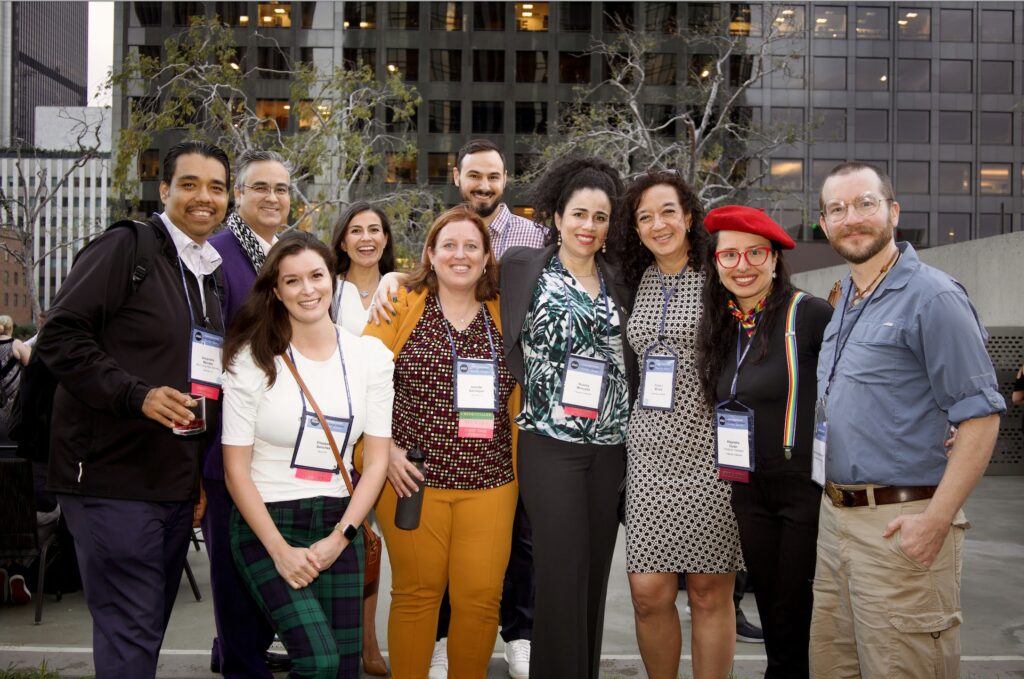
Members Save on ATA Events
ATA membership is the most cost-effective way to stay current and grow your business.

Future Annual Conferences
Check out these dates and locations so you can plan ahead!
ATA68
Tuesday, October 26 - Friday, October 29, 2027
Las Vegas (Henderson), Nevada
ATA69
Wednesday, November 1 - Saturday, November 4, 2028
Orlando, Florida
Past Annual Conferences
Since 1959, ATA has provided the networking and education that its members need.
60th Annual Conference
October 23-26, 2019
Palm Springs, California
59th Annual Conference
October 24-27, 2018
New Orleans, Louisiana
58th Annual Conference
October 25-28, 2017
Washington, DC
57th Annual Conference
November 2-5, 2016
San Francisco, California
56th Annual Conference
November 5-7, 2015
Miami, Florida
55th Annual Conference
November 5-8, 2014
Chicago, Illinois
54th Annual Conference
November 6-9, 2013
San Antonio, Texas
53rd Annual Conference
October 24-27, 2012
San Diego, California
52nd Annual Conference
October 26-29, 2011
Boston, Massachusetts
51st Annual Conference
October 27-30, 2010
Denver, Colorado
50th Annual Conference
October 28-31, 2009
New York City, New York
49th Annual Conference
November 5-8, 2008
Orlando, Florida
48th Annual Conference
October 31-November 3, 2007
San Francisco, California
47th Annual Conference
November 1-4, 2006
New Orleans, Louisiana
46th Annual Conference
November 9-12, 2005
Seattle, Washington
45th Annual Conference
October 13-16, 2004
Toronto, Canada
44th Annual Conference
November 5-8, 2003
Phoenix, Arizona
43rd Annual Conference
November 6-9, 2002
Atlanta, Georgia
42nd Annual Conference
October 31-November 3, 2001
Los Angeles, California
41st Annual Conference
September 20-23, 2000
Orlando, Florida
40th Annual Conference
November 3-6, 1999
St. Louis, Missouri
39th Annual Conference
November 4-7, 1998
Hilton Head Island, South Carolina
38th Annual Conference
November 5-8, 1997
San Francisco, California
37th Annual Conference
October 30-November 2, 1996
Colorado Springs, Colorado
36th Annual Conference
November 8-12, 1995
Nashville, Tennessee
35th Annual Conference
October 12-15, 1994
Austin, Texas
34th Annual Conference
October 6-9, 1993
Philadelphia, Pennsylvania
33rd Annual Conference
November 4-7, 1992
San Diego, California
32nd Annual Conference
October 16-19, 1991
Salt Lake City, Utah
31st Annual Conference
October 17-20, 1990
New Orleans, Louisiana
30th Annual Conference
October 11-14, 1989
Arlington, Virginia
29th Annual Conference
October 12-15, 1988
Seattle, Washington
28th Annual Conference
October 8-11, 1987
Albuquerque, New Mexico
27th Annual Conference
October 15-18, 1986
Cleveland, Ohio
26th Annual Conference
October 16-19, 1985
Miami, Florida
25th Annual Conference
September 19-23, 1984
New York City, New York
24th Annual Convention
October 20-24, 1983
Atlanta, Georgia
23rd Annual Convention
October 21-25, 1982
Arlington, Virginia
22nd Annual Convention
October 15-19, 1981
Dallas, Texas
21st Annual Convention
August 28-September 1, 1980
San Francisco, California
20th Annual Convention
August 31-September 3, 1979
Kansas City, Missouri
19th Annual Convention
October 27-30, 1978
New York City, New York
18th Annual Convention
October 21-24, 1977
Pittsburgh, Pennsylvania
17th Annual Convention
August 1-7, 1976
Stanford, California
16th Annual Convention
October 11-13, 1975
Washington, DC
15th Annual Convention
October 12-14. 1974
Chicago, Illinois
14th Annual Convention
November 3-5, 1973
New York City, New York
13th Annual Convention
November 17-19, 1972
Washington, DC
12th Annual Convention
October 23-25, 1971
Boston, Massachusetts
11th Annual Convention
October 31, 1970
New York City, New York
10th Annual Convention
November 30, 1969
Washington, DC
9th Annual Convention
October 26, 1968
New York City, New York
8th Annual Convention
November 1, 1967
Philadelphia, Pennsylvania
7th Annual Convention
November 5, 1966
New York City, New York
6th Annual Convention
November 5-7, 1965
Washington, DC
5th Annual Convention
November 20-22, 1964
Philadelphia, Pennsylvania
4th Annual Meeting
November 23, 1963
Brooklyn, New York
3rd Annual Meeting
November 30, 1962
New York City, New York
2nd Annual Meeting
December 1, 1961
New York City, New York
1st Annual Meeting
December 2, 1960
New York City, New York
ATA General Meeting and Election of Officers
December 14, 1959
New York City, New York